You already save your best conversations with ConvoFlow. Until now, they lived in one place. Now your AI can read them directly — in whatever app you're working in.
Ask a fresh chat "what was I working on?" and it just knows — because it can see your saved memories from every AI you use, all in one place.
Why it's useful
Three things change the moment you connect.
No more re-explaining
Your AI already knows your projects, decisions, and context. Skip the "here's my background…" every time.
Works across every AI
A chat you had in Gemini is available when you're in Claude or Cursor. Your memory isn't stuck in one app.
Never lose a thread
Pick up unfinished work and open questions from any past conversation, right where you left off.
Connect once on the web and your memory rides along — including the Claude mobile app.
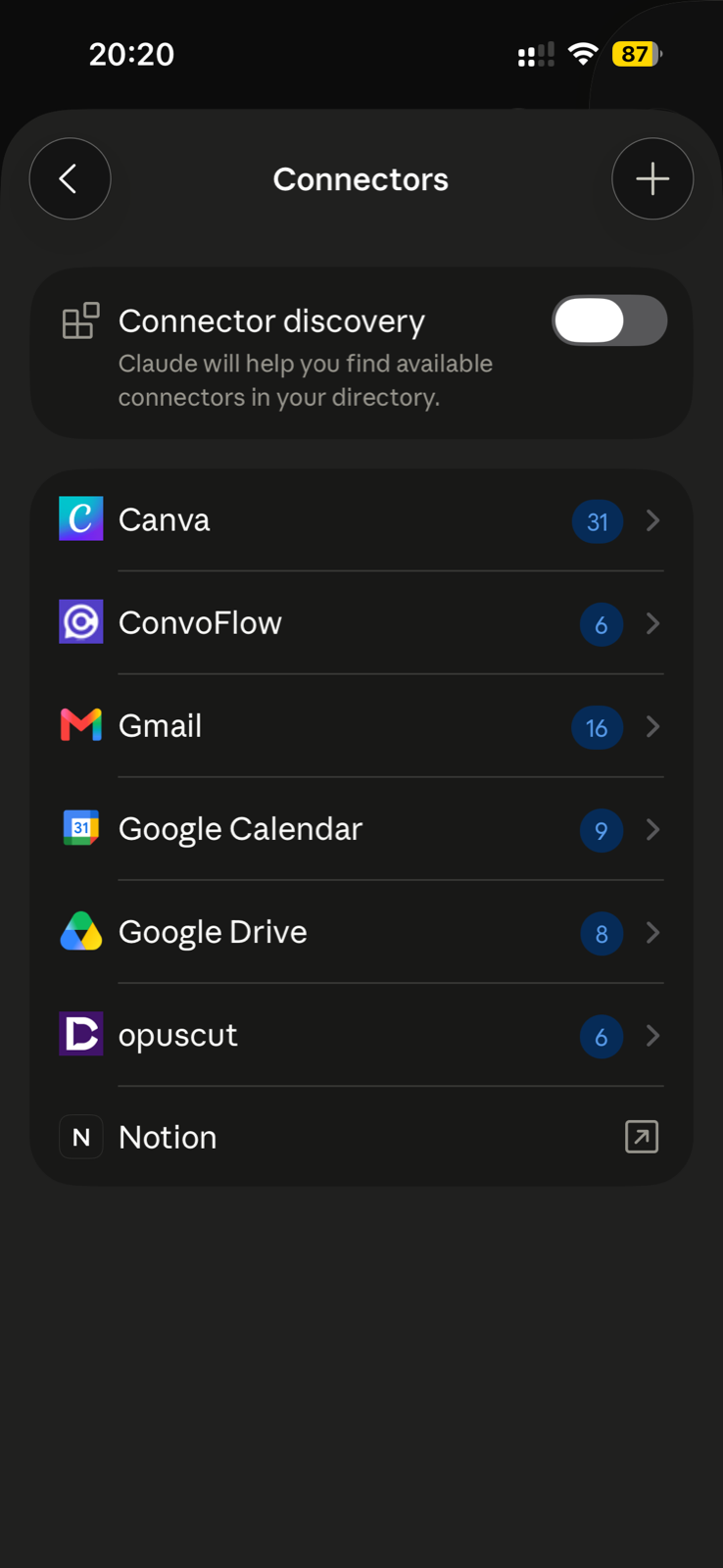
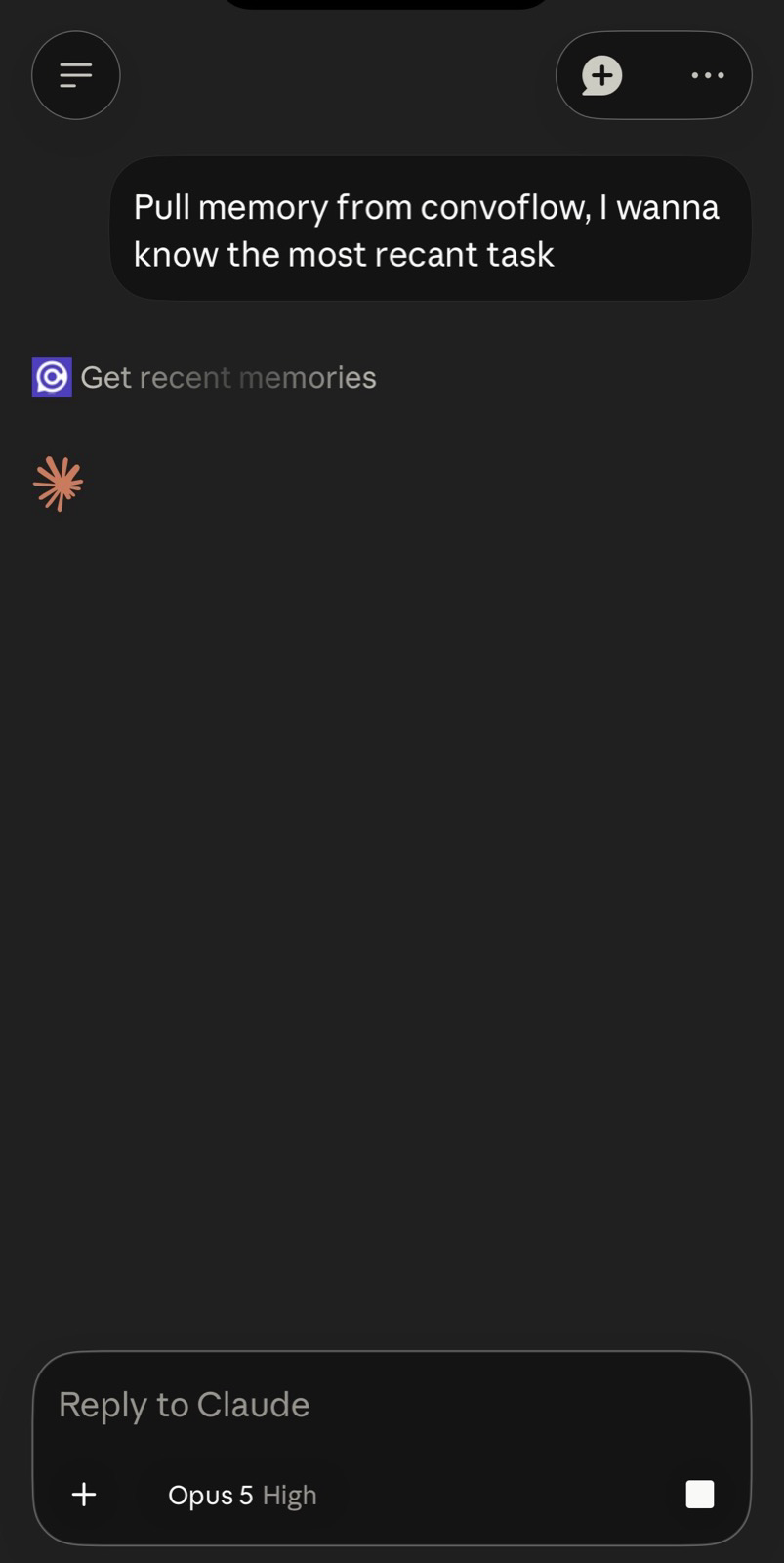
Connect in two minutes
One click copies the link and drops you on Claude's Add custom connector screen — just paste and approve. No password or key; you only sign in.
https://mcp.convoflow.work/mcp
Claude (Desktop & phone)
Click Copy & open Claude above — the link is copied and Claude's Add-connector dialog opens. Paste, sign in, approve. Add it on claude.ai and it works in the Claude mobile app too.
Cursor
Click Add to Cursor above (Cursor must be installed) — or Settings → MCP → Add a new server → paste the link → sign in when it opens your browser.
ChatGPT & other AI apps
Anywhere that supports custom connectors, add the same link. Sign in once and you're set.
See exactly how
Real screenshots of adding the link — same link, both apps.
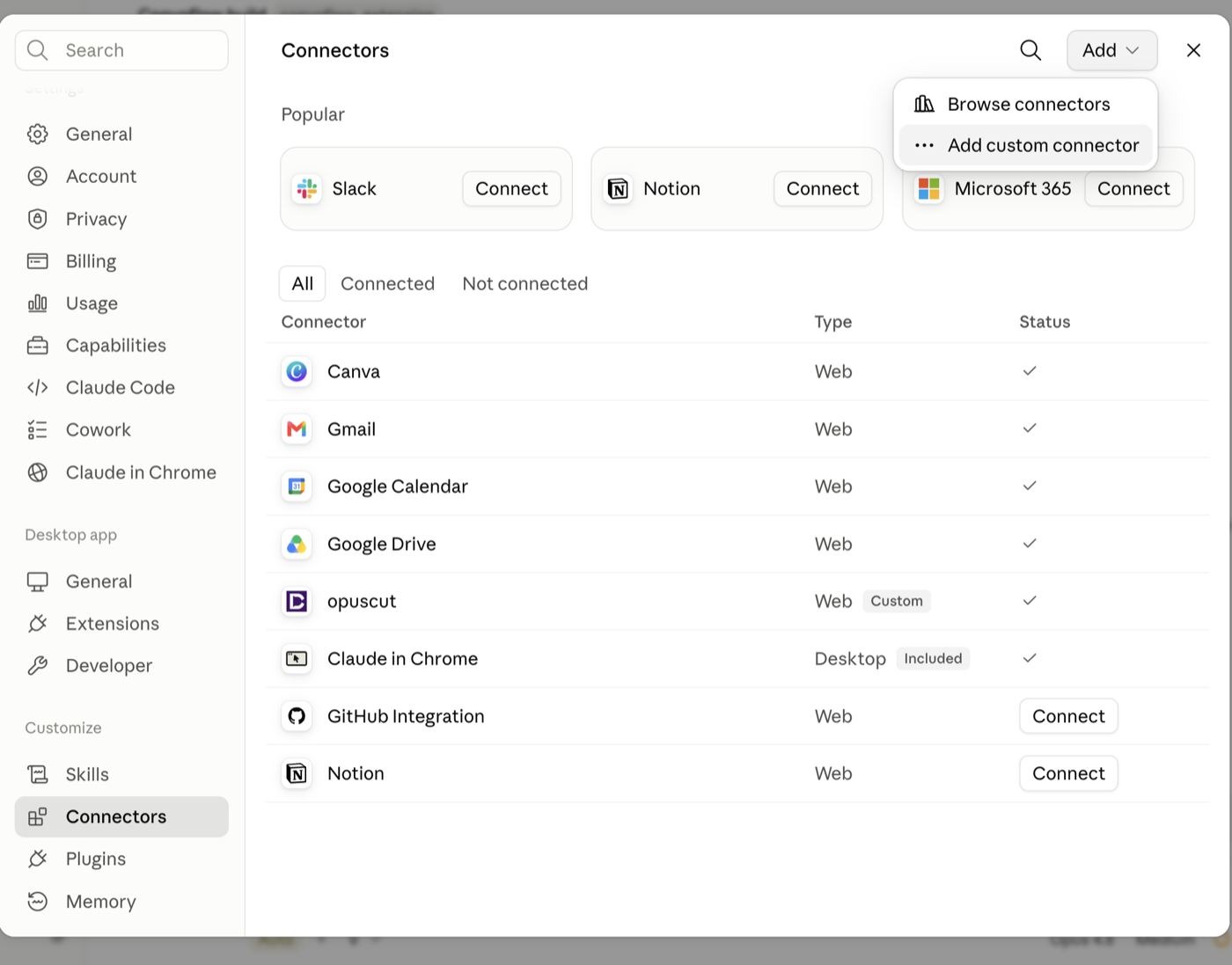
https://mcp.convoflow.work/mcp as the URL, then click Add.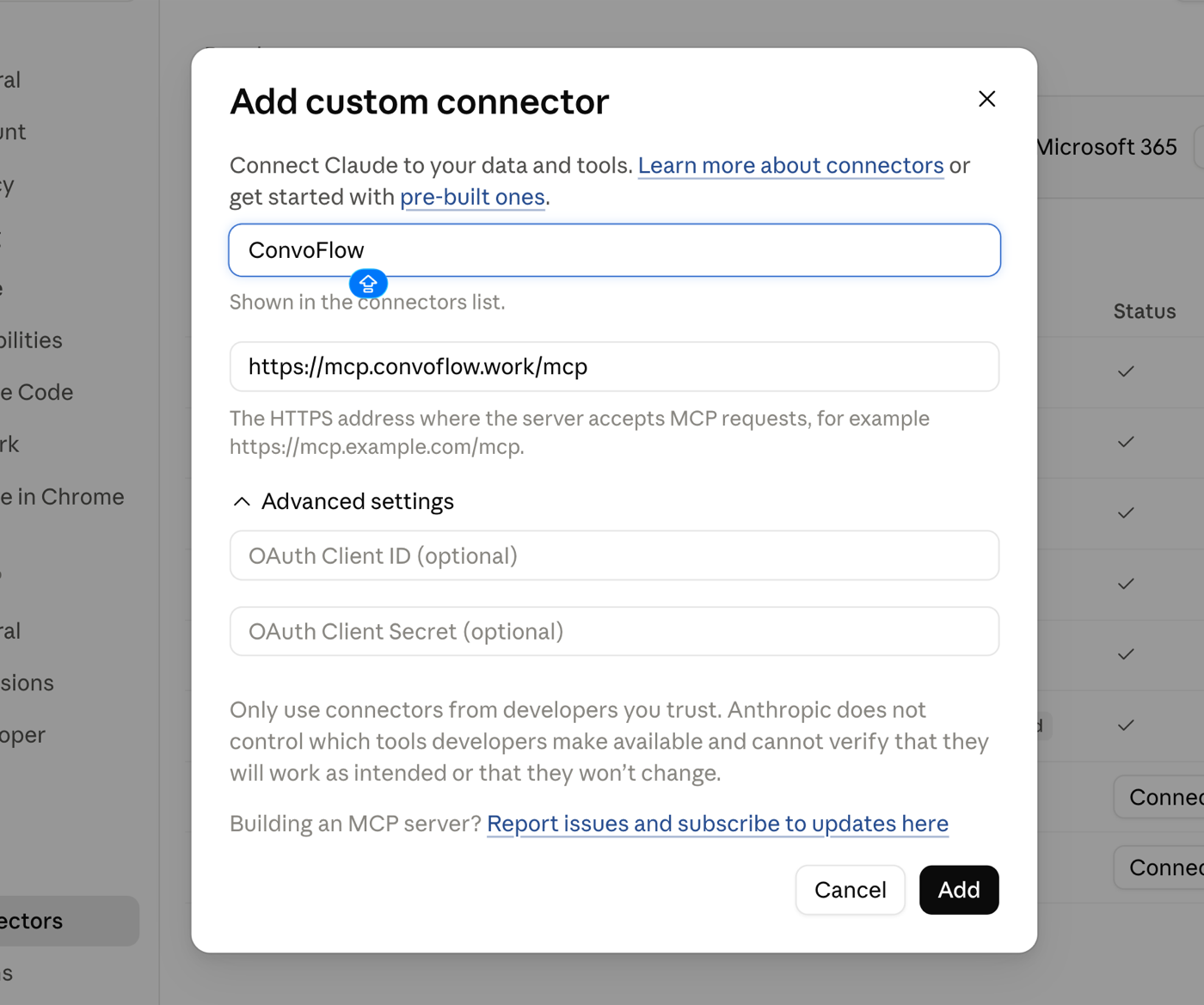
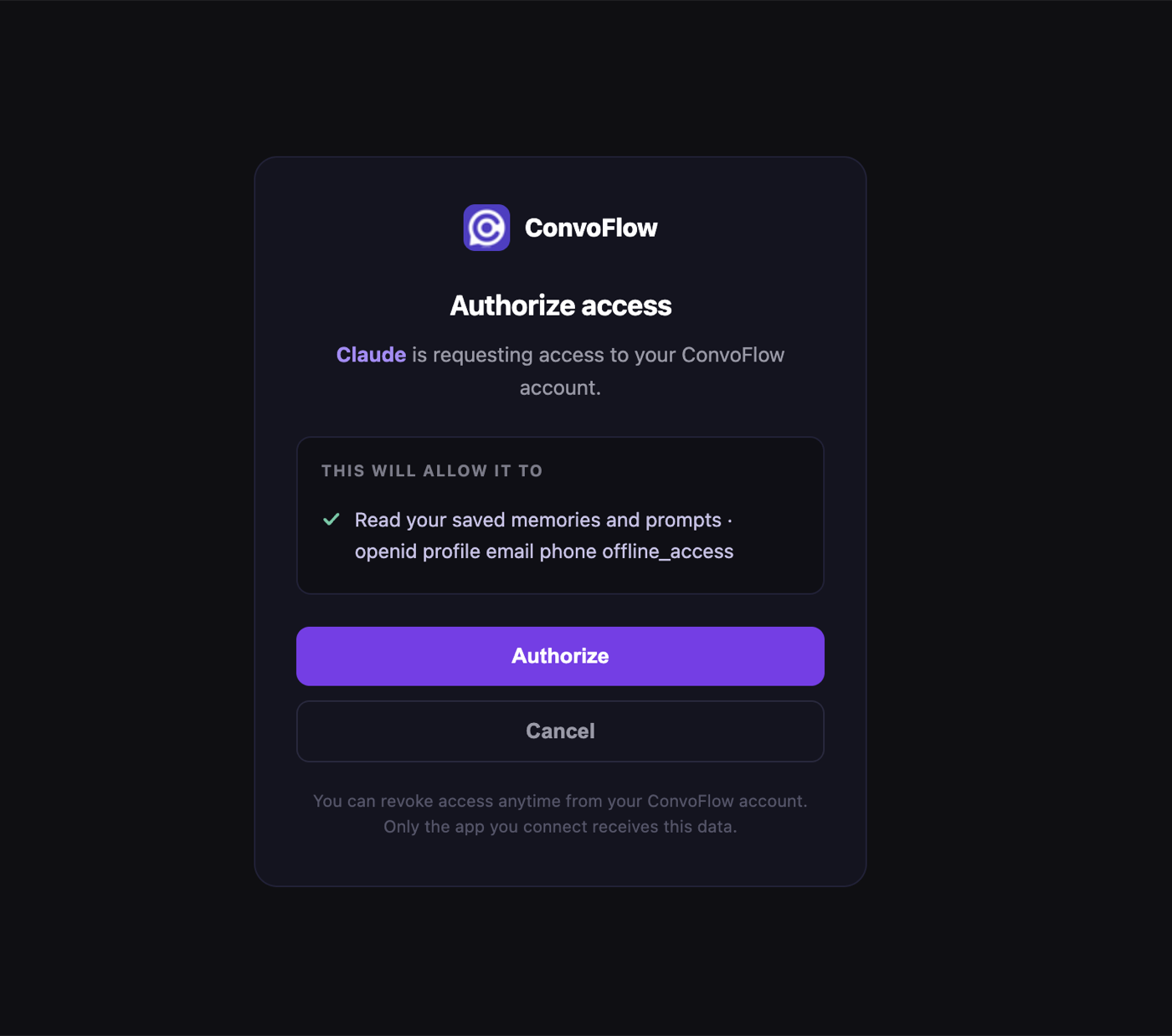
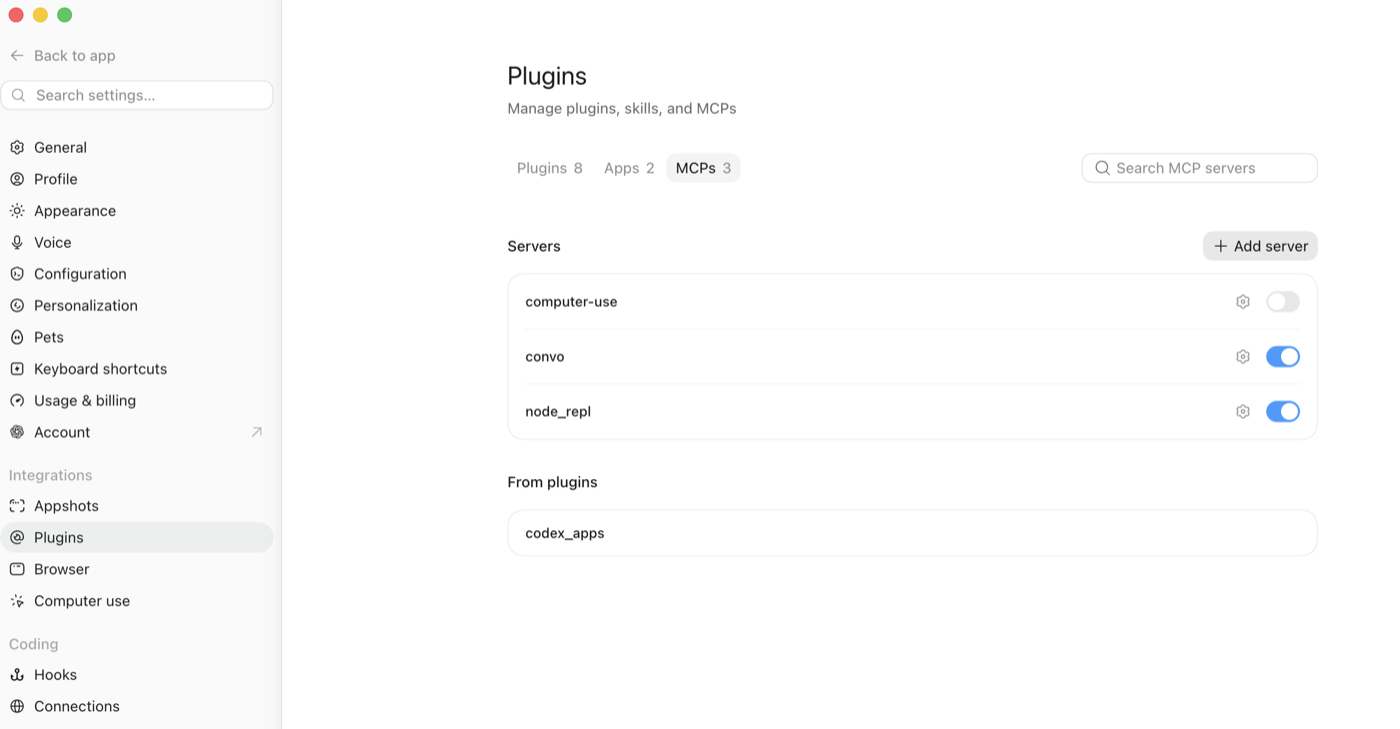
https://mcp.convoflow.work/mcp, then sign in & authorize (same screen as Claude's step 3).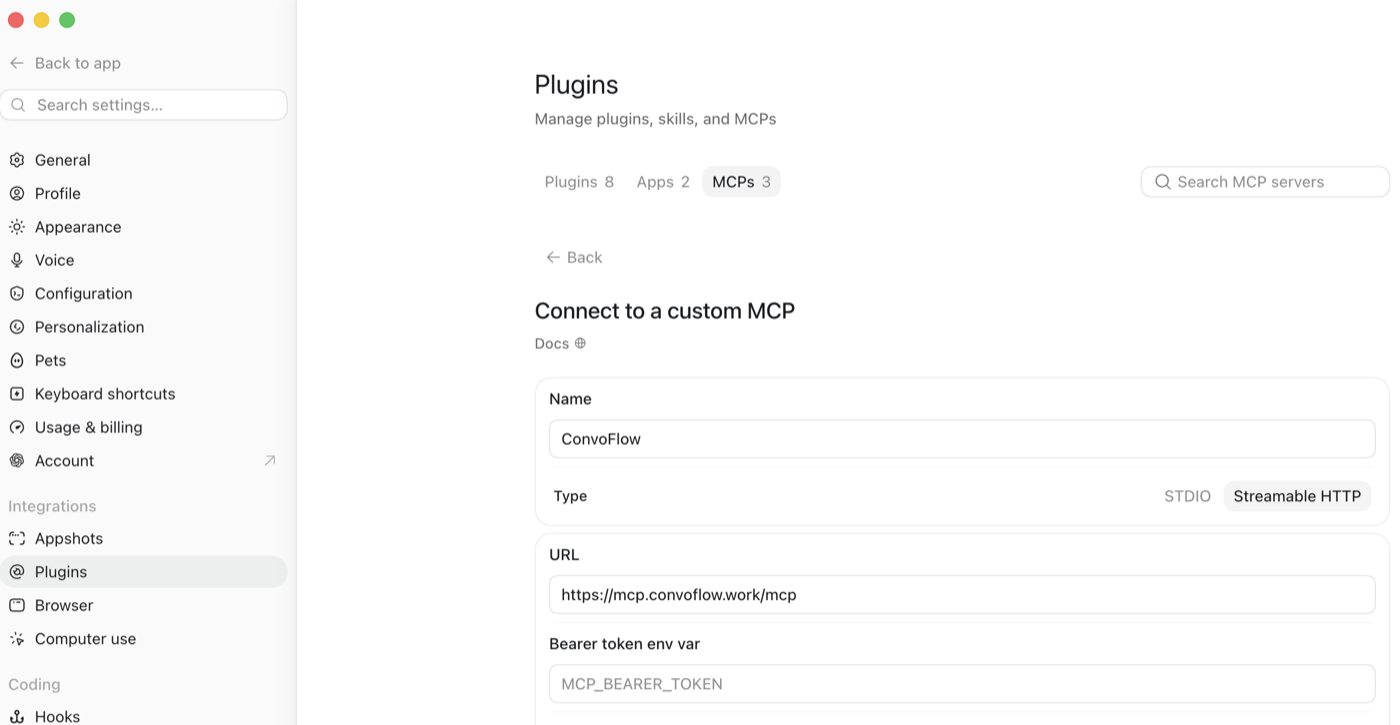
Then just ask
Once it's connected, talk to your AI normally. Here's what it can now do: